The Intune Win32 Deployer
- Florian Salzmann
- Posted on 15 Aug, 2022
- Updated on 21 Dec, 2023
- 02 Mins read
- Automation,IntuneWin32 Deployer,Microsoft Intune,Tools,Win32 Applications
The “Intune Win32 Deployer” allows you to transform Windows Package Manager (winget) and Chocolatey installations for Intune into a Win32 application (intunewin) and upload it straight away to your MEM environment. If you want to do without the automatic upload, you can also just generate the intunewin files.
Overview and Features
With this tool you can easily and automatically deploy programs via Intune. You can do this from software packages from the Windows Package Manager such as Chocolatey choose.
The functions summarized are:
- Build Intunewin for winget applications
- Create Intunewin for Chocolatey applications
- Deploy winget via Intune (as a system)
- Deploy Chocolatey via Intune
- Transform programs from the Windows Package Manager into an intunewin
- Transform programs from Chocolatey into an intunewin
- Create Win32 applications upload to Intune
- Maintaining an inventory list within the application
- Install winget (optional)
- Install Chocolatey (optional)
- Current Microsoft Win32 Content Prep Tool download
Installation
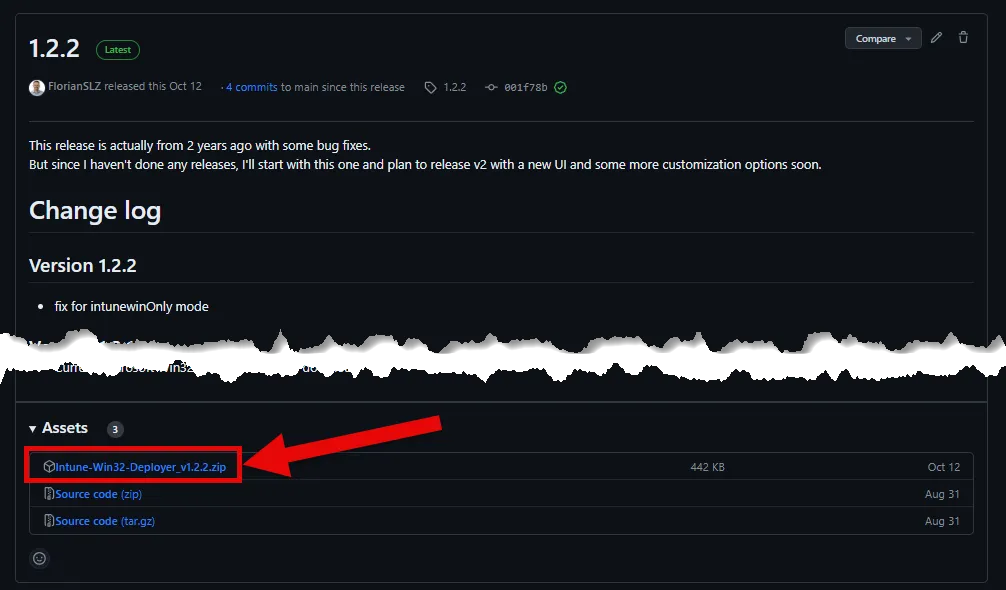
To install, simply download the latest release on my GitHub repository and execute the file “INSTALL_Intune-Win32-Deployer.ps1” with PowerShell in the top level (right-click):
Release 1.2.2 · FlorianSLZ/Intune-Win32-Deployer (github.com) (scroll down to the ZIP)

This installs the tool under “C:\Users\%username%\AppData\Local\Intune-Win32-Deployer” and the two PowerShell modules “MSAL.PS” and “IntuneWin32App” in the user context. In addition, a shortcut to the tool is created in the start menu, with which you can then start it.
For the part up to here you do not need administrator rights.
Because the data information is retrieved from winget and chocolatey during creation, these two tools must also be installed. You need administrator rights for this. However, if you don’t want to use either Chocolatey or the Windows Package Manager, you can skip these installation steps.
Demo
In this demo I show the following processes:
- First start of the “Intune Win32 Deployer”
- Add and create a wings application including upload to Intune
- Automatic creation of application “Windows Package Manager” as a dependency
- Add and create a Chocolatey Application (without upload)