Let Firefox Use the Windows Certificate Store - Intune
- Florian Salzmann
- Posted on 19 May, 2022
- Updated on 12 Jul, 2026
- 02 Mins read
- Microsoft Intune,PowerShell,Windows 10,Windows 11
Unfortunately, the Mozilla Firefox browser doesn’t use the Windows certificate store by default. We need this, for example, when we use Deep Inspection on our firewall, or use internal, only locally available services that rely on a server or domain certificate. It’s important that devices managed with Intune also receive this configuration change so that Firefox uses the Windows certificate store.
There is a way in the browser to enable the use of the Windows certificate store. If you use GPOs or have the Firefox ADMX configuration active in Intune, you can do it through those. If not, I’ve prepared a script for you which you can simply deploy as a PowerShell script in Microsoft Endpoint Manager.
Save the following code in a PS1 file, or download it from my GitHub.
$PackageName = "Firefox_WindowsCertificateStore"

$Path_local = "$Env:Programfiles\_MEM"
Start-Transcript -Path "$Path_local\Log\$PackageName-install.log" -Force

$localSettings_file = "C:\Program Files\Mozilla Firefox\defaults\pref\local-settings.js"
$profileCFG_file = "C:\Program Files\Mozilla Firefox\scloud.cfg"
$localSettings_content = ' pref("general.config.obscure_value", 0);
 pref("general.config.filename", "scloud.cfg");'

$profileCFG_content = ' //
 lockPref("security.enterprise_roots.enabled", true);'

$localSettings_content | Out-File ( New-Item -Path $localSettings_file -Force) -Encoding Ascii
$profileCFG_content | Out-File ( New-Item -Path $profileCFG_file -Force) -Encoding Ascii


Stop-Transcript
The code will extend the local configuration file and, to make troubleshooting easier in case of errors, also write an additional log / transcript.
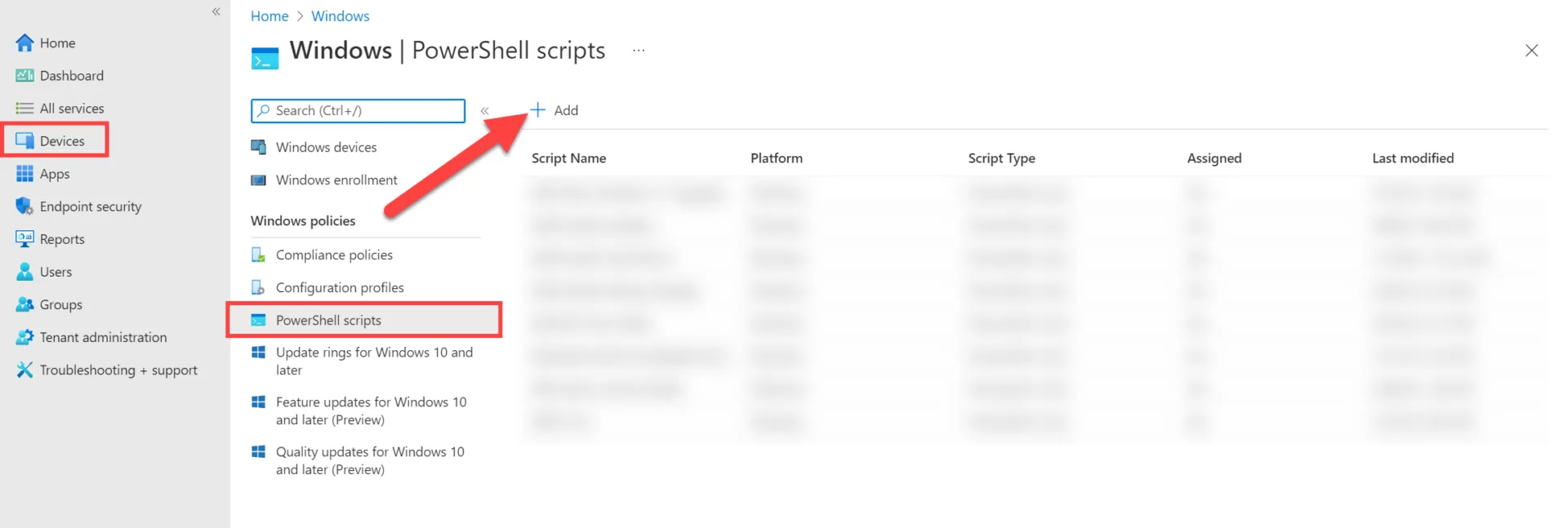
In Endpoint Manager, under “Devices > Windows > PowerShell scripts”, you can now add a new script.
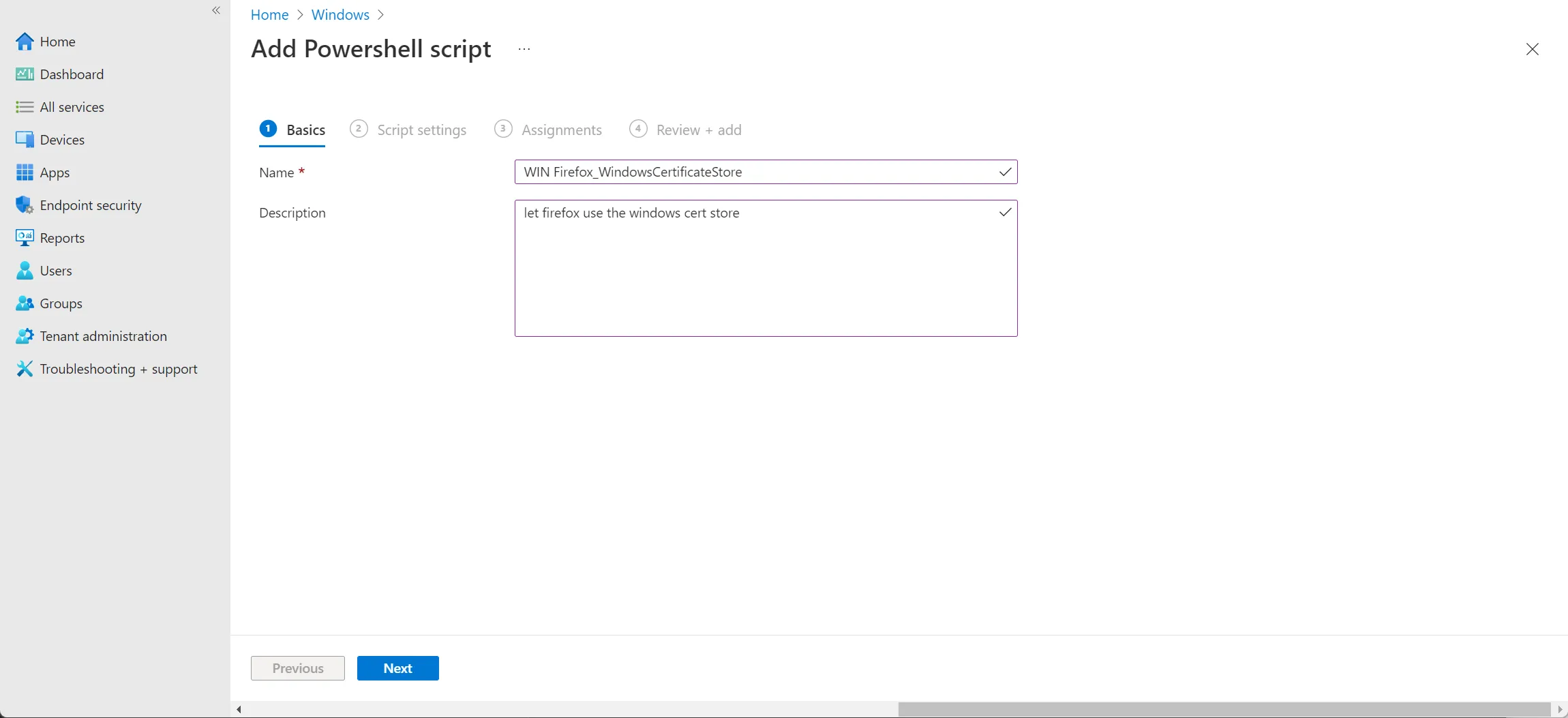
We give the script a meaningful name and, optionally (recommended), a description:
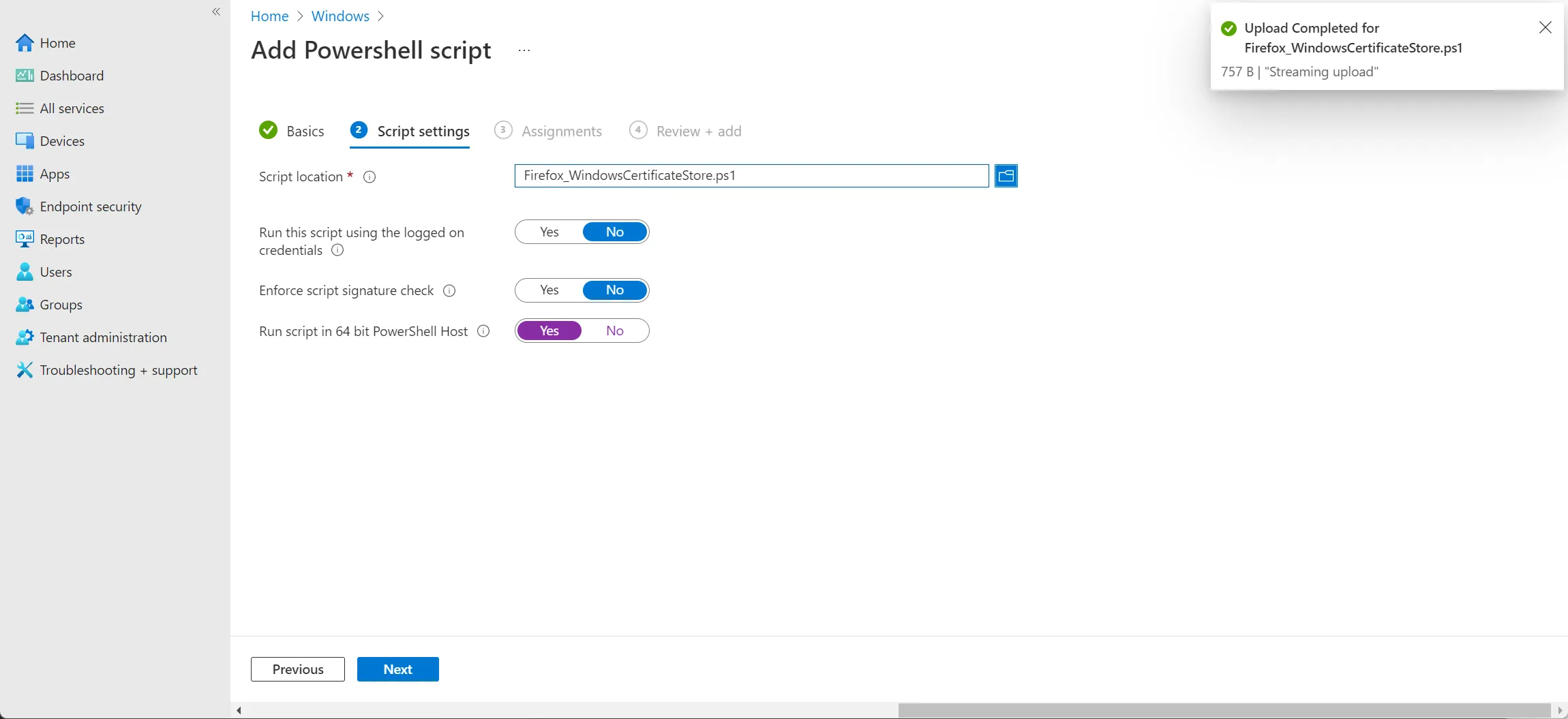
In the next step, you can now upload the saved file and enable the 64-bit context for execution.
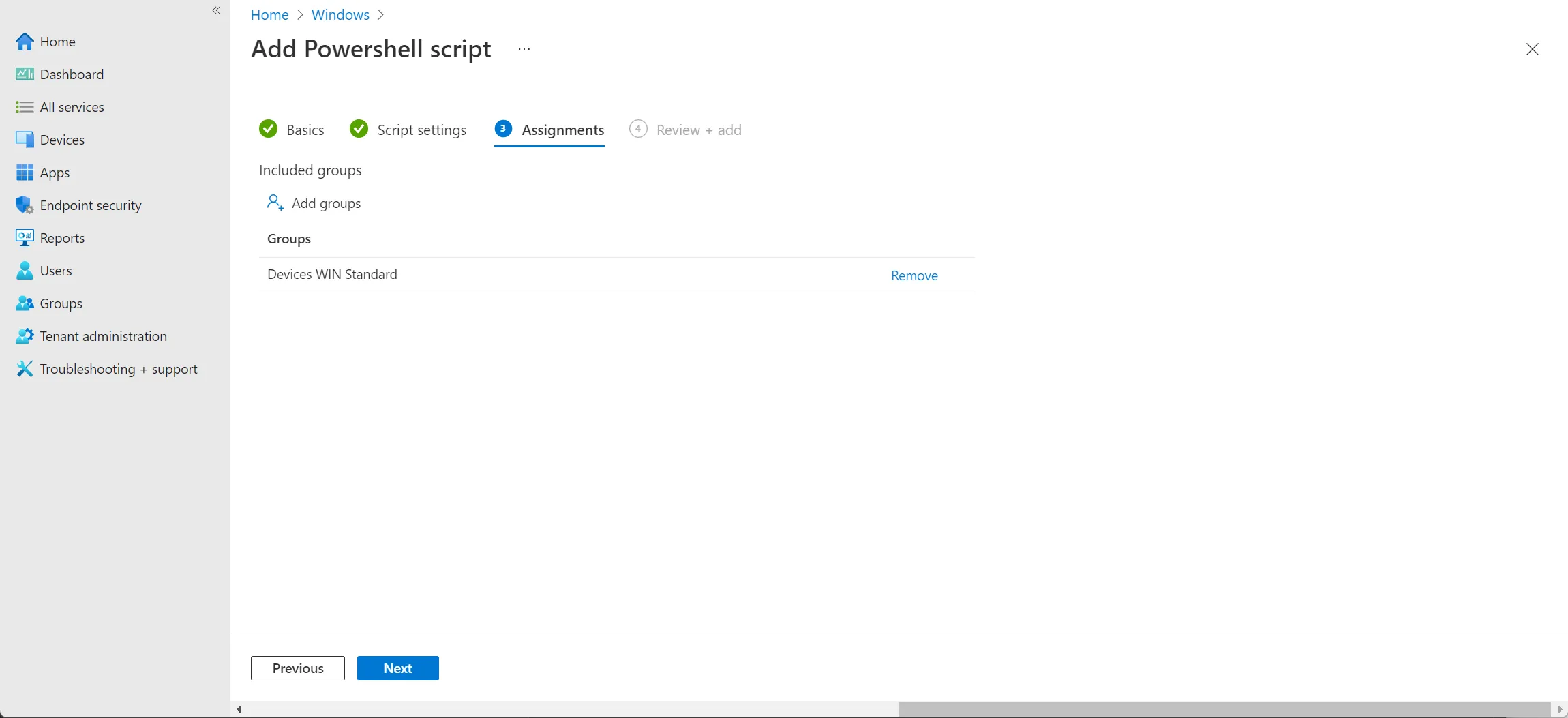
Before we can submit the configuration, we still need to assign it to the desired group.
That’s it already. Once the script has been executed on the computer via Intune and Firefox is restarted, Firefox will use the Windows certificate store.