Microsoft Teams (classic) virtual background with Intune
- Florian Salzmann
- Posted on 21 Feb, 2021
- Updated on 12 Jul, 2026
- 02 Mins read
- Microsoft Intune,Microsoft Office Apps,Microsoft Teams,PowerShell,Win32 Applications
Microsoft teams offer users the option of using their own virtual background in a meeting. This background offers the opportunity to highlight your own company in every meeting. Properly distributing these backgrounds with Intune gives everyone the same choice. Because in order to use it, each user must have imported the relevant files onto their device.
Due to the location independence of the endpoint manager, we also intercept the employees in the home office.
For this I created a Win32 package consisting of two PowerShell files and the backgrounds. You can find the complete package in my GitHub repository.
The package consists of:
| Ordner: bg | Source for backgrounds (e.g. company-bg.jpg) |
| install.ps1 | Here the backgrounds are copied to the correct destination, a validation file (recognition rule) is created and finally a log is written. |
| uninstall.ps1 | Removes the installed backgrounds and the validation file. |
| check.ps1 | Reads the validation file including the version number. |
My win32 template serves as the basi_c: my take on win32 apps - Intune | scloud_
Package and distribute
- Save your own backgrounds in the “bg” folder
(You can upload any number of background images for Microsoft teams here, which Intune will then install.) - Create intunewin file: Prepare a Win32 app to be uploaded to Microsoft Intune | Microsoft Docs
- Source Folder: Path to “Teams-Backgrounds” folder
- Setup file: install.ps1
- Output folder: Same source or whatever
- Catalog folder: N
- Create Windows App (Win32): Windows - Microsoft Endpoint Manager admin center
- intunewin file upload, set title, description, publisher and icon
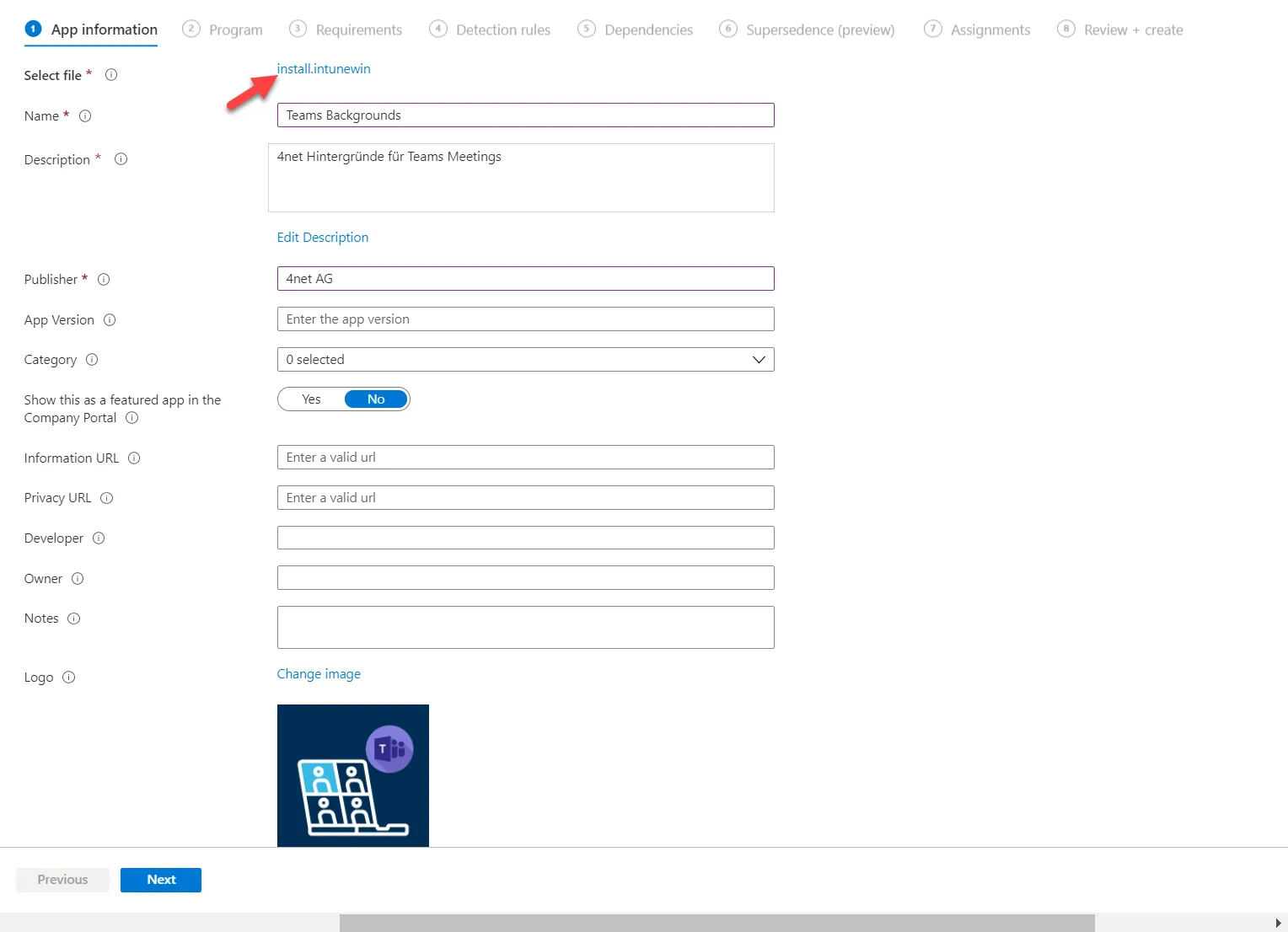
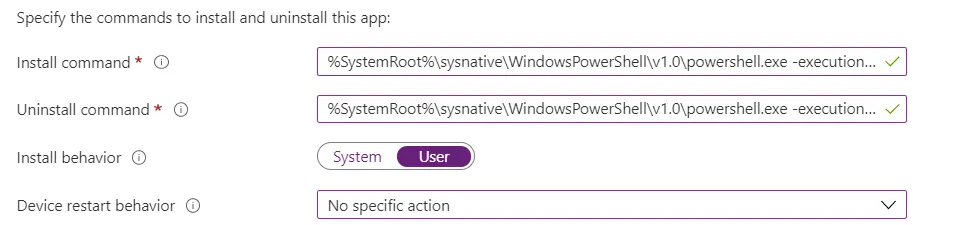
- Set parameters and the installation behavior “User”.
- install command
%SystemRoot%\sysnative\WindowsPowerShell\v1.0\powershell.exe -executionpolicy bypass -command .\install.ps1 - uninstall command
%SystemRoot%\sysnative\WindowsPowerShell\v1.0\powershell.exe -executionpolicy bypass -command .\uninstall.ps1
- install command
- Requirements

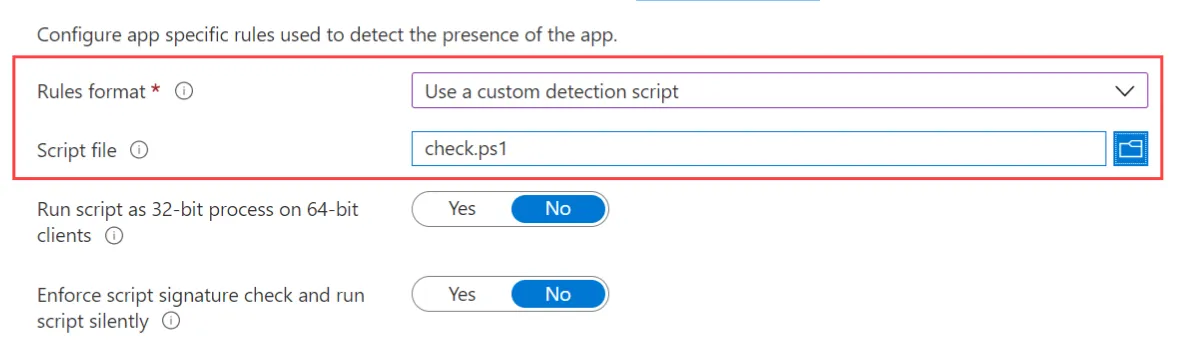
- I have already prepared the «check.ps1» file as «Detection Rule».
- Finally, you assign a group which distributes the package.
- … and done!
With these steps, you can quickly distribute the background for Microsoft Teams with Intune and also update it. You only need to generate a new package and increase the version in “install.ps1” and “check.ps1.”