
Enable Windows Hello - Intune
- Florian Salzmann
- Posted on 13 Jul, 2021
- Updated on 11 Aug, 2023
- 01 Min read
- Microsoft Intune
There are configurations in which activating Windows Hello for Business does not make sense for our customers and is therefore switched off.
Basically, Windows Hello is a very good and secure way to protect the devices on site and to follow a “passwordless” approach. In production or when workplaces have to be changed sporadically, the second factor can be annoying. Because this is always required for employees when they log in to the PC for the first time. In addition, Windows Hello is also often blocked in local environments.
In order to still offer the possibility of PIN and bio-authentication, I distributed the following PowerShell script to the end devices in such cases.
Set-ItemProperty -Path "HKLM:\SOFTWARE\Policies\Microsoft\Windows\System" -Name "AllowDomainPINLogon" -Value 1 -Type DWORD

reg add "HKEY_LOCAL_MACHINE\SOFTWARE\Policies\Microsoft\PassportForWork" /v Enabled /t REG_DWORD /d 1 /f
reg add "HKEY_LOCAL_MACHINE\SOFTWARE\Policies\Microsoft\PassportForWork" /v DisablePostLogonProvisioning /t REG_DWORD /d 1 /f 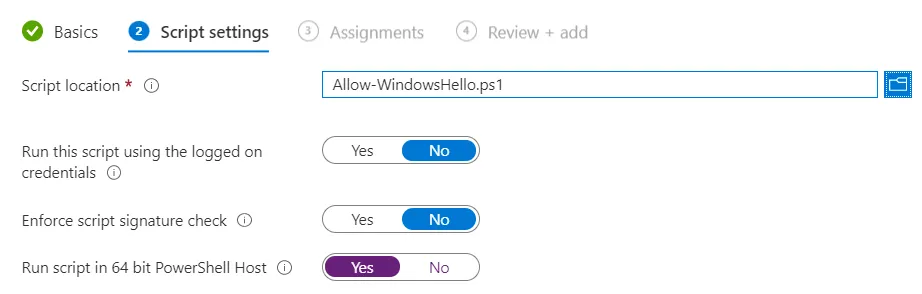
Switch on Windows Hello via PowerShell with Intune
Download PowerShell Script and activate Windows Hello: