Turn off automatic Teams meeting
- Florian Salzmann
- Posted on 26 Apr, 2022
- Updated on 11 Aug, 2023
- 02 Mins read
- Microsoft Intune
Outlook and the Outlook web app automatically create a team/online meeting from an appointment with invited people. This was introduced with the “Add online meeting to all meetings” feature. However, this behavior is not always desirable and can confuse users unnecessarily. Luckily, there are several ways you can turn off automatic Teams meeting.
Organization-wide deactivation of the automatic creation of Teams meeting
Organization-wide, the easiest way to turn off this option is to use PowerShell. I have listed the commands for you below. By default, de Get Query returns no value. If not set, Microsoft treats this as $true.
That is assumed Exchange Online PowerShell modules.
# Establish connection with Exchange Online
Connect-ExchangeOnline

# Deactivate
Set-OrganizationConfig -OnlineMeetingsByDefaultEnabled $false

# Get settings
Get-OrganizationConfig | Select OnlineMeetingsByDefaultEnabled
User-specific deactivation of the automatic creation of teams meeting
You can switch off the automatic team meeting per user with three options. You only have to do one at a time. The setting is then automatically synchronized with the Exchange account and thus with all end devices.
PowerShell - Turn off Teams Meeting in Appointment by default
You can also set the setting with PowerShell as an administrator, just like organization-wide. All you need is the email address of the target user and the code below.
That is assumed Exchange Online PowerShell modules.
# Establish connection with Exchange Online
Connect-ExchangeOnline

# Read User
$user = Read-Host "User mail-address to deactivate *Online Meetings by Default*"

# Deactivate
Set-MailboxCalendarConfiguration -Identity $user -OnlineMeetingsByDefaultEnabled $false

# Get settings for the user
Get-MailboxCalendarConfiguration -Identity $user | Select OnlineMeetingsByDefaultEnabled
Outlook (local) - Turn off Teams Meeting in Appointment by default
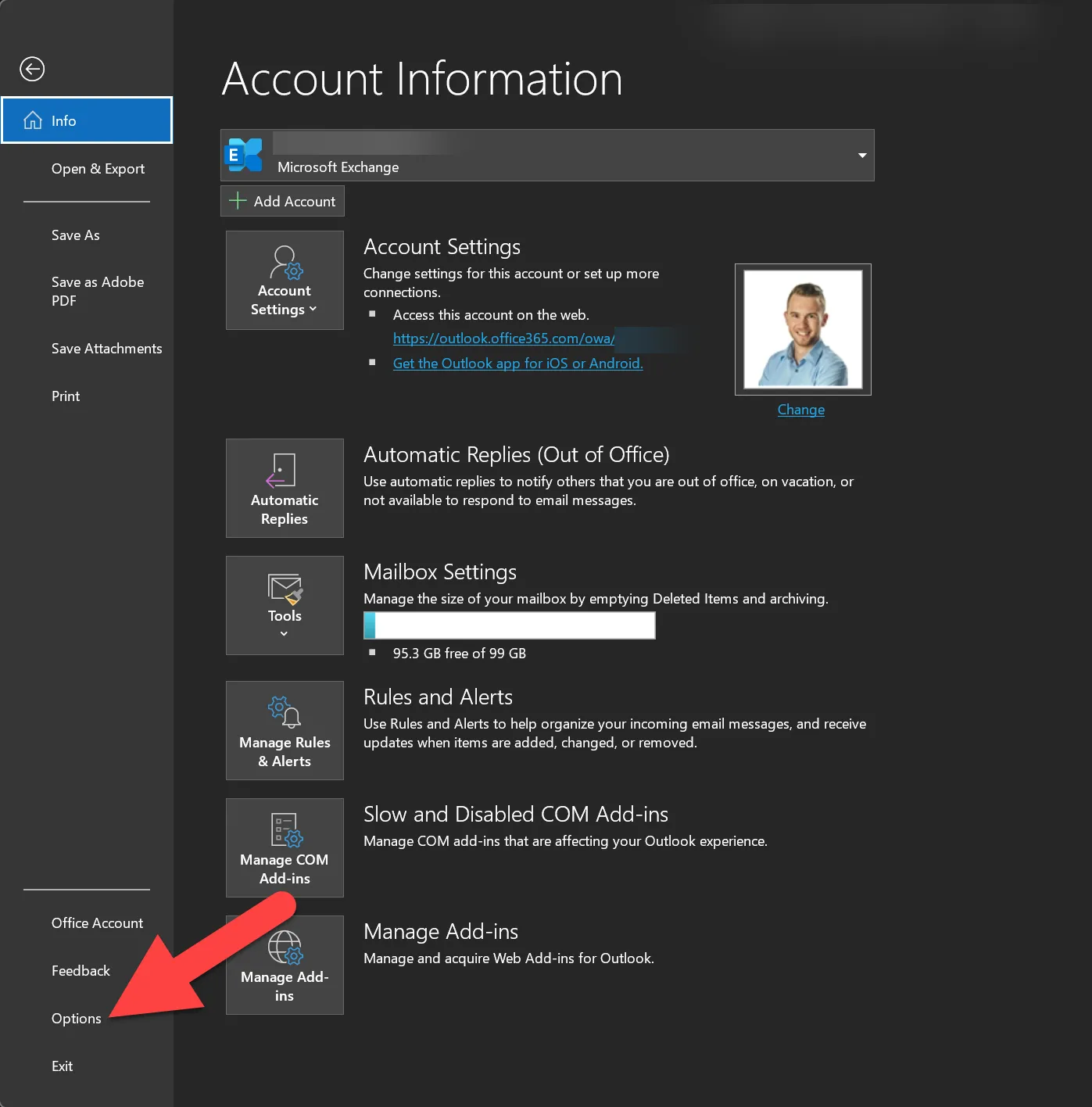
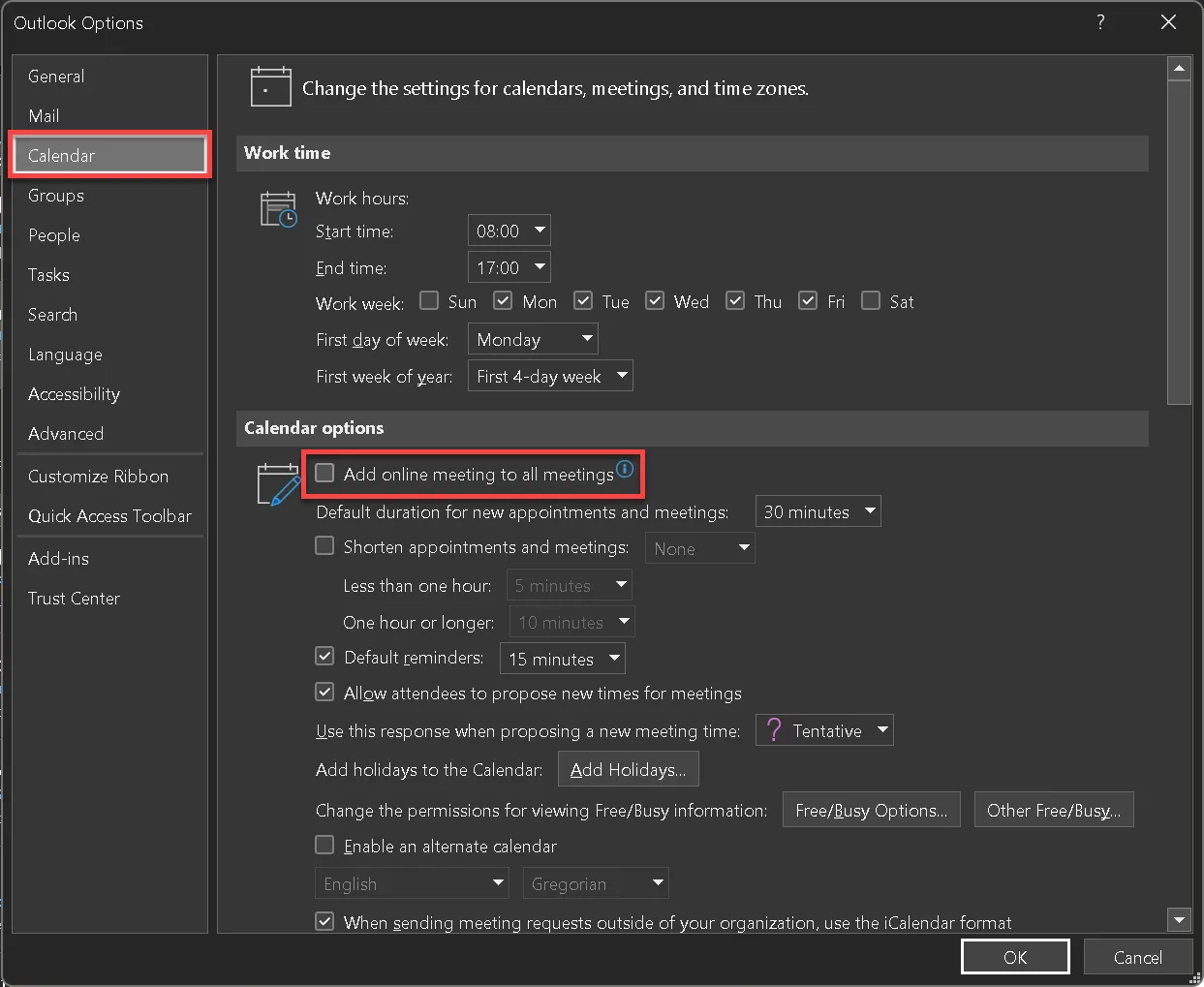
In local Outlook you can switch off the automatic team meeting of the configured user yourself. To do this, you have to switch to the calendar menu via “File” (top right), “Options” and uncheck the box next to “Add online meeting to all meetings”.
Outlook on the web - Deactivate Teams meeting in appointment by default
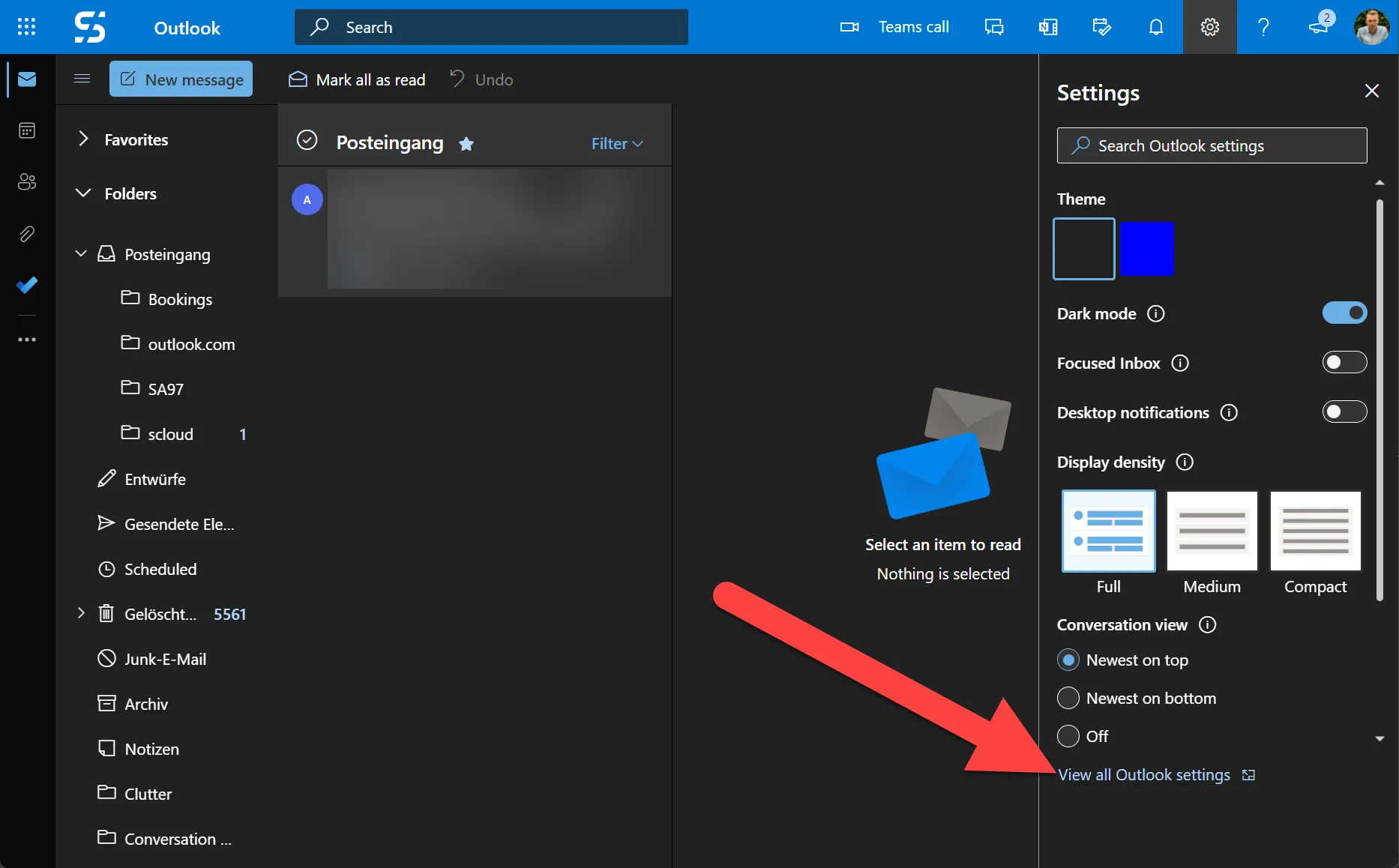
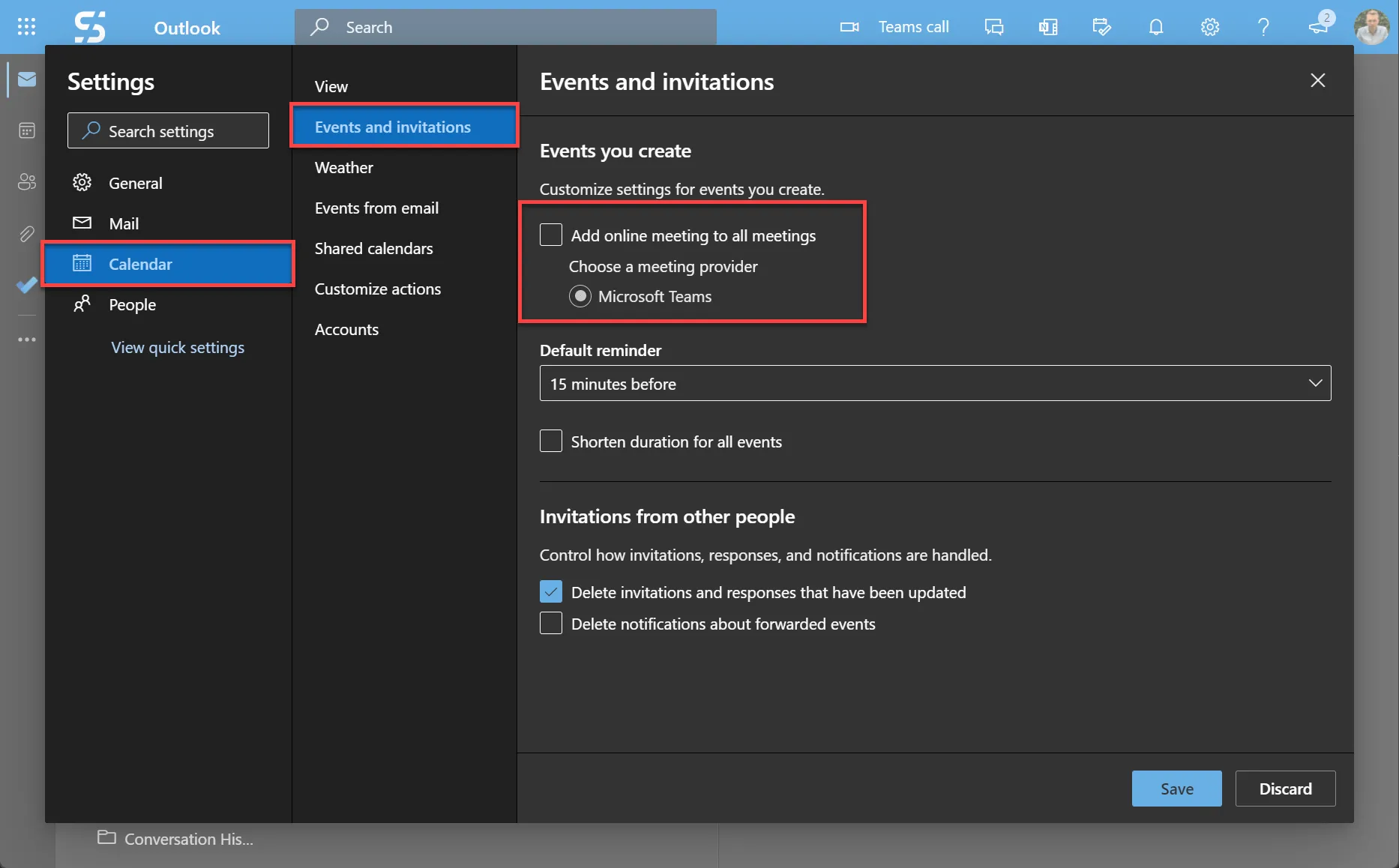
In “Outlook on the web” you will find the setting in a similar place to local. Via the gear wheel and “View all Outlook Settings” you get to the overview. In this under “Calendar”, “Events and Invitations” you will find the item “Add online meeting to all meetings”.