Intune Assignment Error 10002: Platform SSO
- Florian Salzmann
- Posted on 14 May, 2024
- 02 Mins read
- macOS,Microsoft Intune
Moving to or testing Platform SSO for macOS in Microsoft Intune? Avoid a common error (10002) and ensure a smooth transition!
In short: This error occurs when both Platform SSO and the older Enterprise SSO are active.
The Conflict: Platform SSO vs. Enterprise SSO
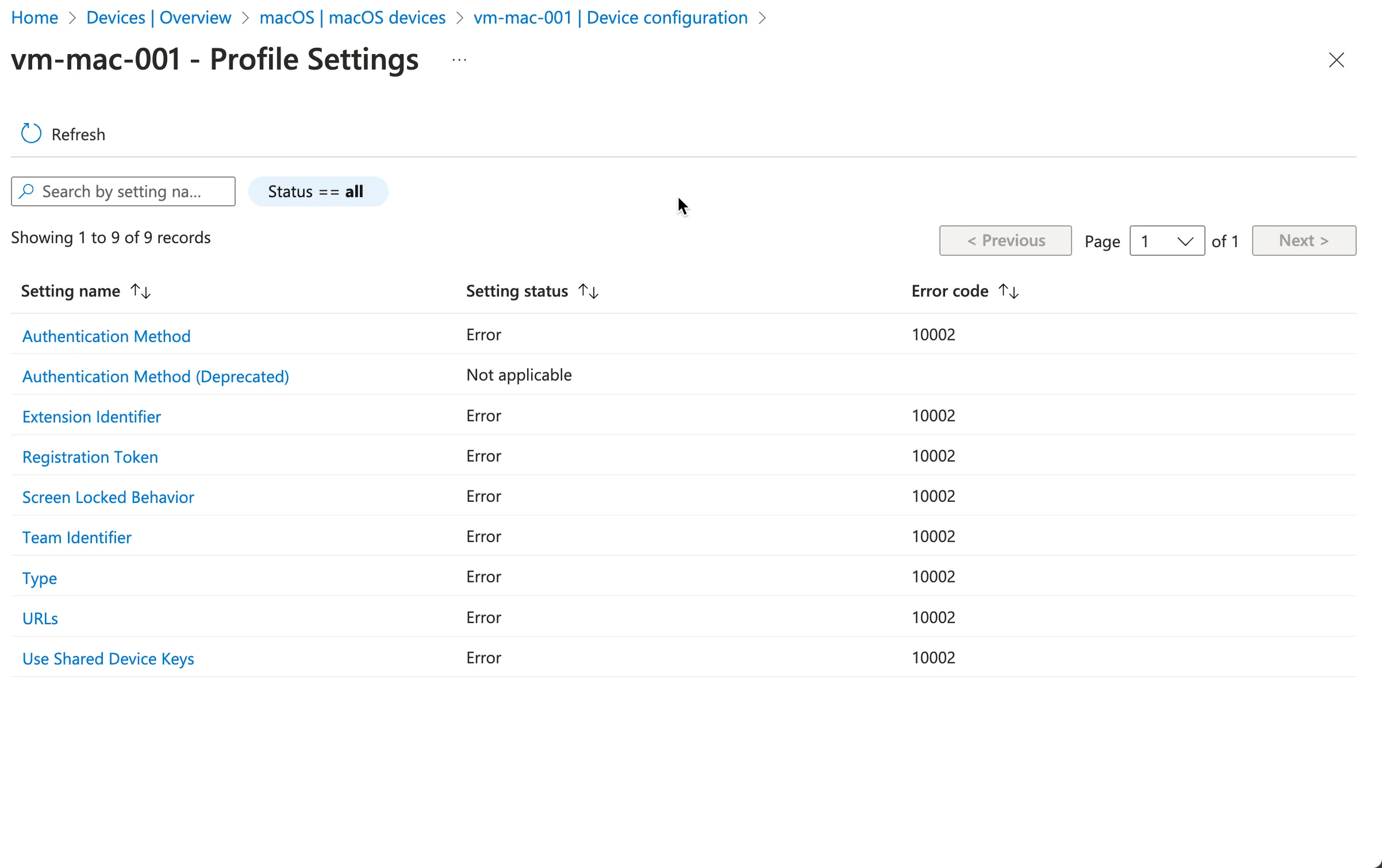
While both Platform SSO and Enterprise SSO aim to simplify logins, they function differently. Here’s the catch: you cannot have both active simultaneously on the same device. Intune throws error code 10002 (“Multiple SSO payloads configured”) when it detects conflicting configurations. This occurs because both methods attempt to manage authentication, leading to confusion for Intune.
Resolving Error 10002
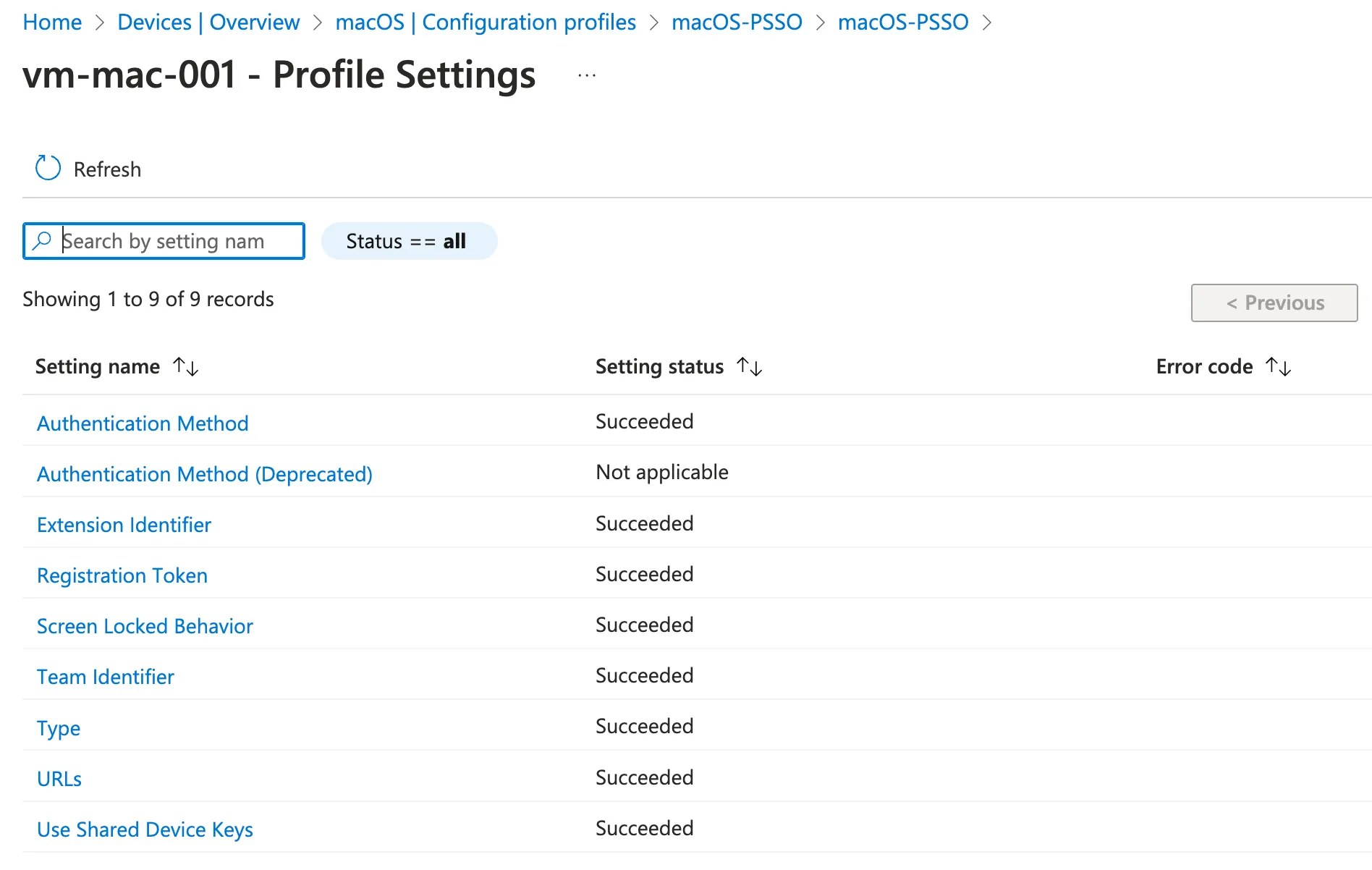
Actually, there is only one way to fix the Error 10002 in Intune, simply unassign the old Enterprise SSO policy.
Alternatively, you could modify the current policy, but since this is another feature, I suggest you create a separate policy and test it first.
To test the new policy, you can create a new device group or use an existing group that you exclude from the current Enterprise SSO policy and then assign it to the new Platform SSO policy.
If you already had the error and just changed the assignment, it may take one or two syncs, which you can force on the device through the enterprise portal.
Additional Considerations for a Smooth Transition
- Communication is Key: Inform your users about the upcoming switch to Platform SSO. Briefly explain the benefits of the new system and address any potential concerns. The impact is not big, but the user will get a small popup to configure the new feature.
- Pilot Testing: Before a full rollout, consider piloting Platform SSO on a small group of devices. This allows you to identify and address any unforeseen issues before a broader deployment.
- Monitor and Review: Once deployed, monitor the success of Platform SSO by checking user feedback and Intune reports for any lingering errors.