Turn off Microsoft Viva Briefing Email
- Florian Salzmann
- Posted on 12 Nov, 2021
- Updated on 13 Jul, 2026
- 02 Mins read
- Exchange Online,Microsoft 365,PowerShell
The new Microsoft Viva Briefing email, just like the Insights mail a year before, is active by default and tenant-wide. These mails often raise questions and mistrust. Especially because personal information and mails are listed, the Briefing isn’t always well received. Fortunately, you can turn off the Viva Briefing email in several ways.
Prerequisites for the PowerShell method
To use the PowerShell option below, you need the ExchangeOnlineManagement module installed and an account with Exchange admin permissions in the tenant. The Admin Center toggle doesn’t require any module - just Global or Exchange Admin access.
How can I turn it off
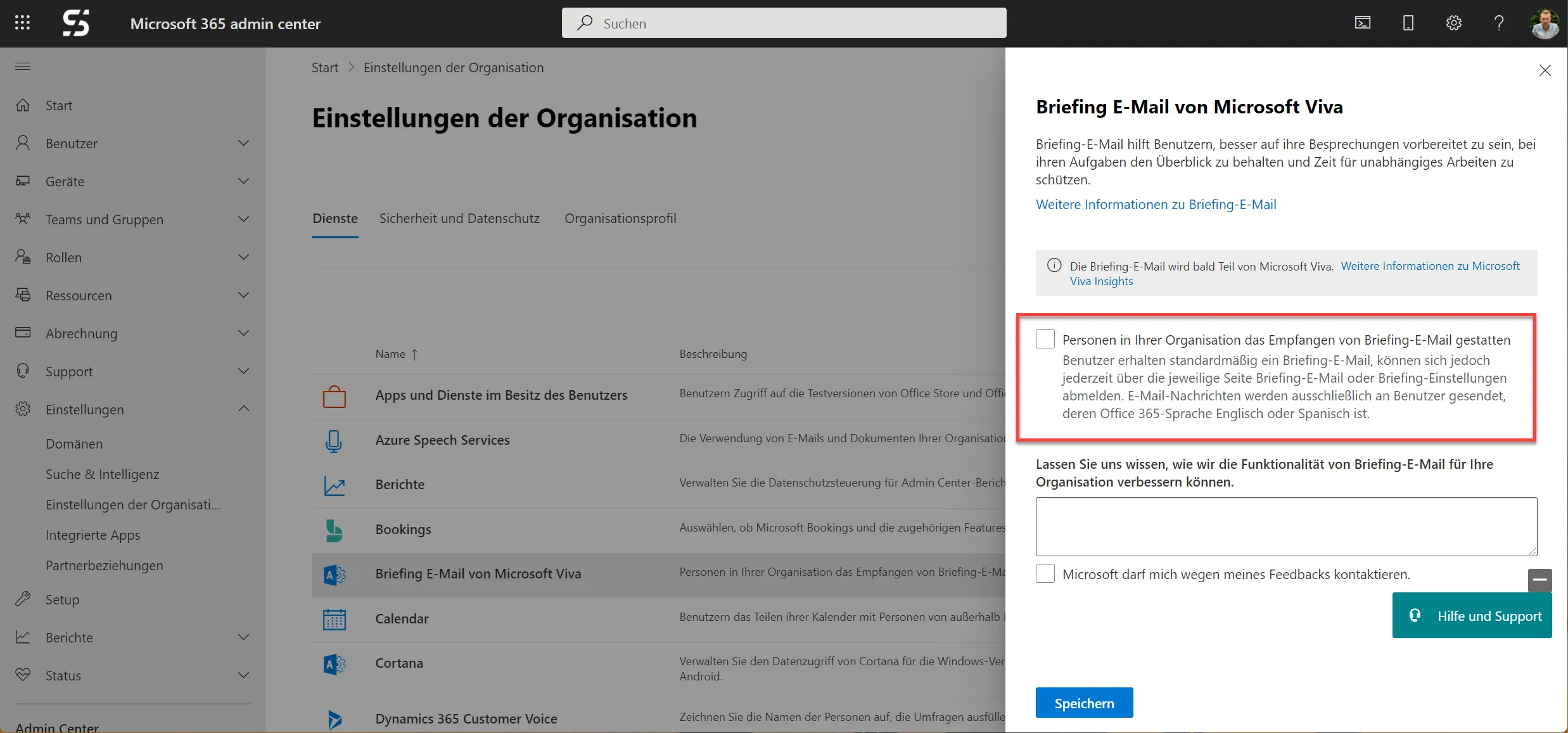
The easiest way to turn off the mail is in the Microsoft 365 Admin Center under “Settings > Org settings > Briefing email from Microsoft Viva”:
Turn off via PowerShell for users and groups
Alternatively, you can also turn off the “Viva Briefing Email” via PowerShell. This way you can also turn off the Briefing email individually for single users or groups:
# Exchange Online Connect (as Admin)
Connect-ExchangeOnline

# Einzelner Benutzer / Singel User
Set-UserBriefingConfig -Identity florian@scloud.work -Enabled $false # $true um wieder einzuschalten


# Gruppenbasiert
$Group2tunrOFF = ".Alle Tester"
$Group2tunrOFF_members = Get-DistributionGroupMember -Identity $Group2tunrOFF | Get-Mailbox
foreach($mbx in $Group2tunrOFF_members){
  Set-UserBriefingConfig -Identity $mbx.UserPrincipalName -Enabled $false # $true um wieder einzuschalten
}
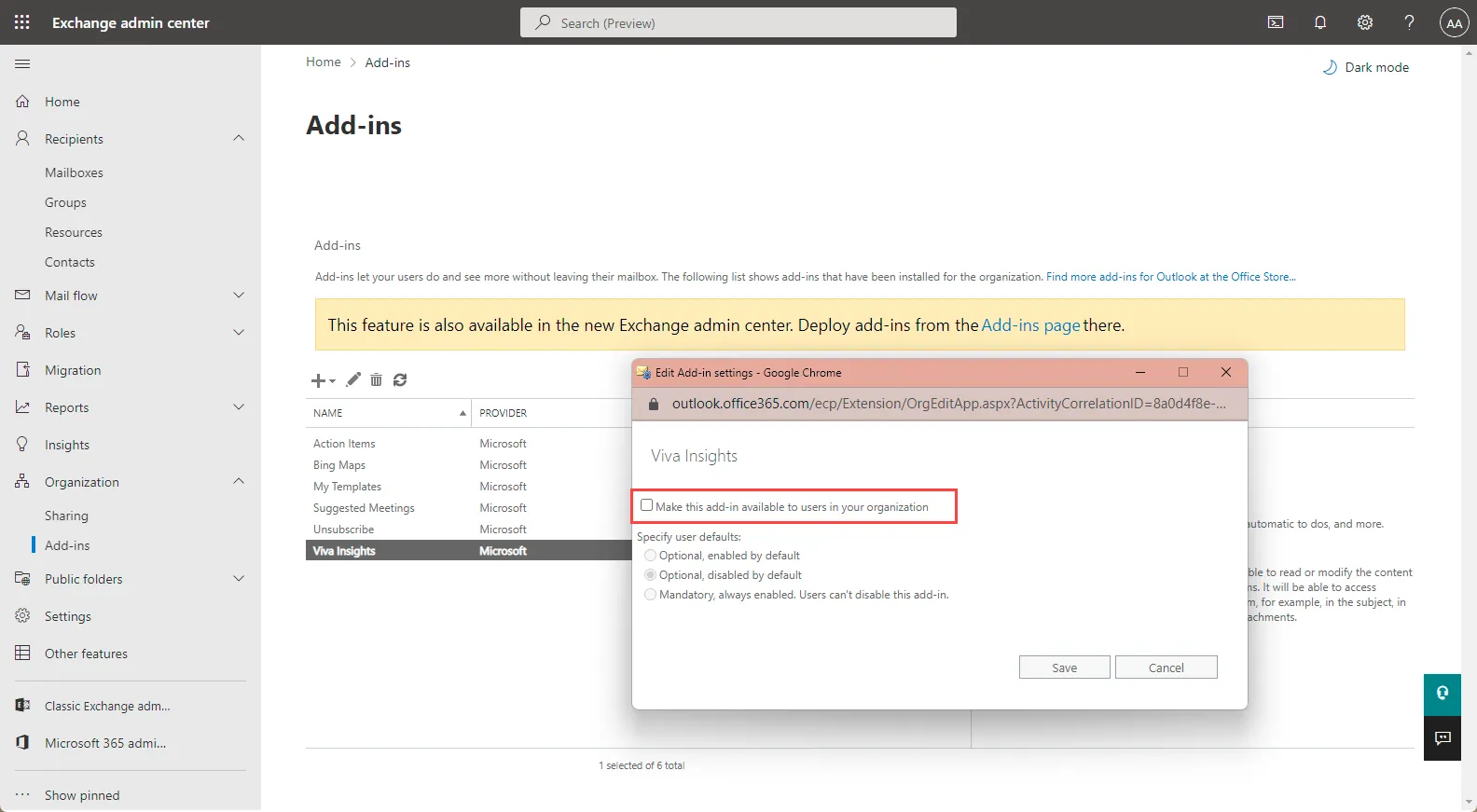
Remove the “Viva Insights” Outlook Add-in
After you’ve done the deactivation, it can happen that the Outlook Add-in is still active. You can turn this off easily and organization-wide in the Exchange Admin Center though.
Navigate to Organization Add-ins in the “Exchange Admin Center”. There you select “Viva Insights” and revoke its availability.
Checking the current setting
If you’re not sure whether the Briefing email is already disabled for a user, query it directly instead of guessing:
Get-UserBriefingConfig -Identity florian@scloud.workKeep in mind that disabling the mail doesn’t remove Viva Insights itself - users can still access their personal insights through the Viva Insights app or the Outlook add-in (if it’s still enabled) even after the Briefing email is turned off.