FIX: Configuring Microsoft Intune Certificate Connector Failed?
- Florian Salzmann
- Posted on 10 Apr, 2024
- Updated on 03 Feb, 2025
- 02 Mins read
- Microsoft Intune
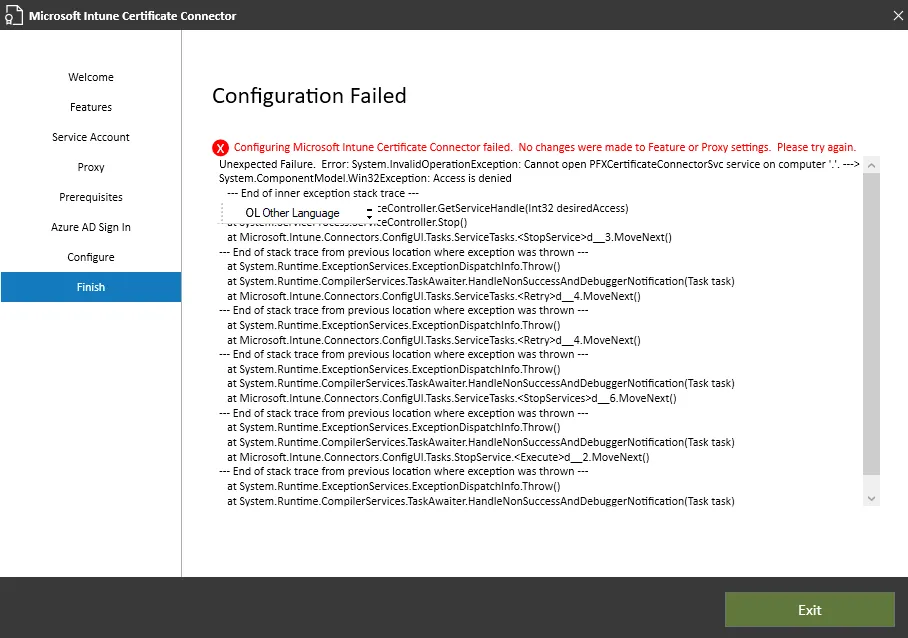
When setting up the Intune Certificate Connector, many of us have encountered this annoying error. Even though you’re an administrator, Windows sometimes doesn’t automatically grant the necessary elevated privileges, and that’s where things go wrong. Essentially, the Configuration Wizard lacks the explicit administrative rights it needs to make the necessary changes to your system. The result? You will see the “Configuring Microsoft Intune Certificate Connector Failed” error in the final step of the Configuration Wizard.
The One-Click Fix: Run as Administrator
It might sound trivial, but the solution is as simple as it is effective. Here’s the quick fix:
- Locate the Configuration Wizard:
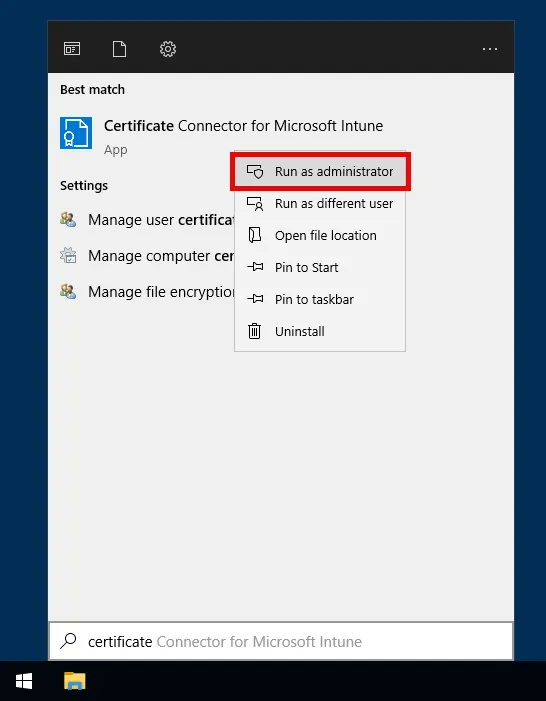
Find the executable or shortcut for the Intune Certificate Connector wizard. This is available in your Start menu or in the installation directory. - Right-Click & Run as Administrator:
Right-click the wizard icon and choose “Run as administrator.” Even if you’re logged in as an admin, this step is crucial. Accept the User Account Control (UAC) prompt by clicking “Yes.” - Complete the Setup:
Follow the on-screen instructions. With the elevated privileges in place, the wizard should complete the configuration without error.
Why Does This Work?
Even though you might be an administrator, applications don’t always run with elevated permissions by default. By explicitly running the wizard as an administrator, you ensure that it has the necessary access to modify system settings and write to protected areas—exactly what’s needed to get the Certificate Connector up and running.
A Few More Tips for a Smooth Setup
- Double-Check Permissions: It never hurts to verify that you’re actually granting full admin rights. Right-click and select “Run as administrator” every time you encounter permission-related issues.
- Keep Your System Updated: Ensure Windows and related components are fully updated to avoid compatibility hiccups.
- Consult Official Resources: When in doubt, Microsoft’s documentation and community forums can be invaluable for troubleshooting more complex issues.