Fix 7-Zip Vulnerability - Proactive Remediation
- Florian Salzmann
- Posted on 21 Apr, 2022
- Updated on 13 Jul, 2026
- 02 Mins read
- Microsoft Intune,(Proactive) Remediations,Security
Due to the 7-Zip vulnerability (CVE-2022-29072), it might be possible to execute processes with elevated privileges. The fastest way to fix this is to delete the file “7-zip.chm” in the program directory. You can do this manually, or fix the 7-Zip vulnerability with the Proactive Remediation scripts below.
** DISPUTED ** 7-Zip through 21.07 on Windows allows privilege escalation and command execution when a file with the .7z extension is dragged to the Help>Contents area. This is caused by misconfiguration of 7z.dll and a heap overflow. The command runs in a child process under the 7zFM.exe process, NOTE: multiple third parties have reported that no privilege escalation can occur.
CVE description, https://www.cve.org/CVERecord?id=CVE-2022-29072
Creating the Proactive Remediations package for the 7-Zip vulnerability
You can create the package in Endpoint Manager / Intune under “Reports > Endpoint analytics > Proactive remediations” + Create script package.
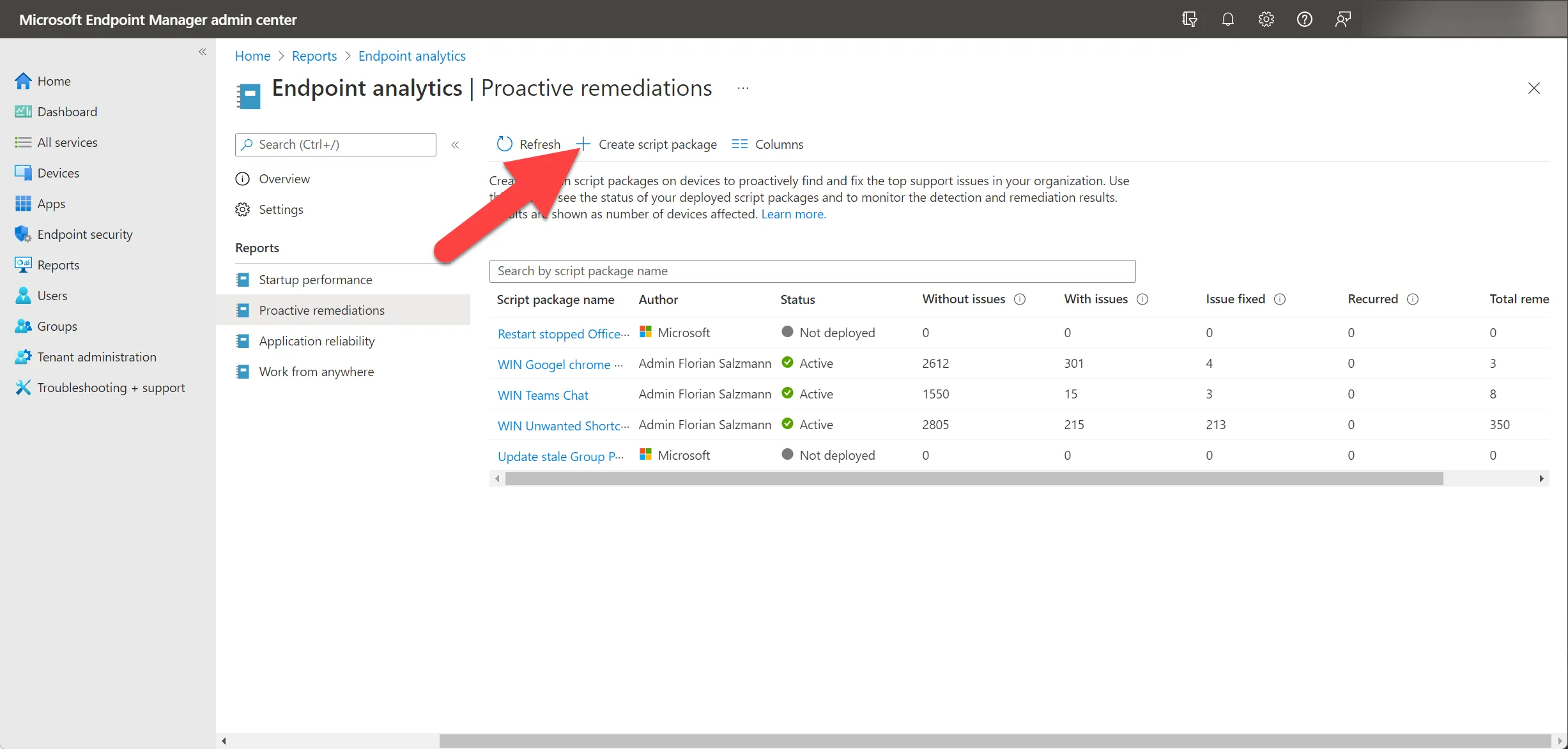
We give the script package a meaningful name and an optional description:
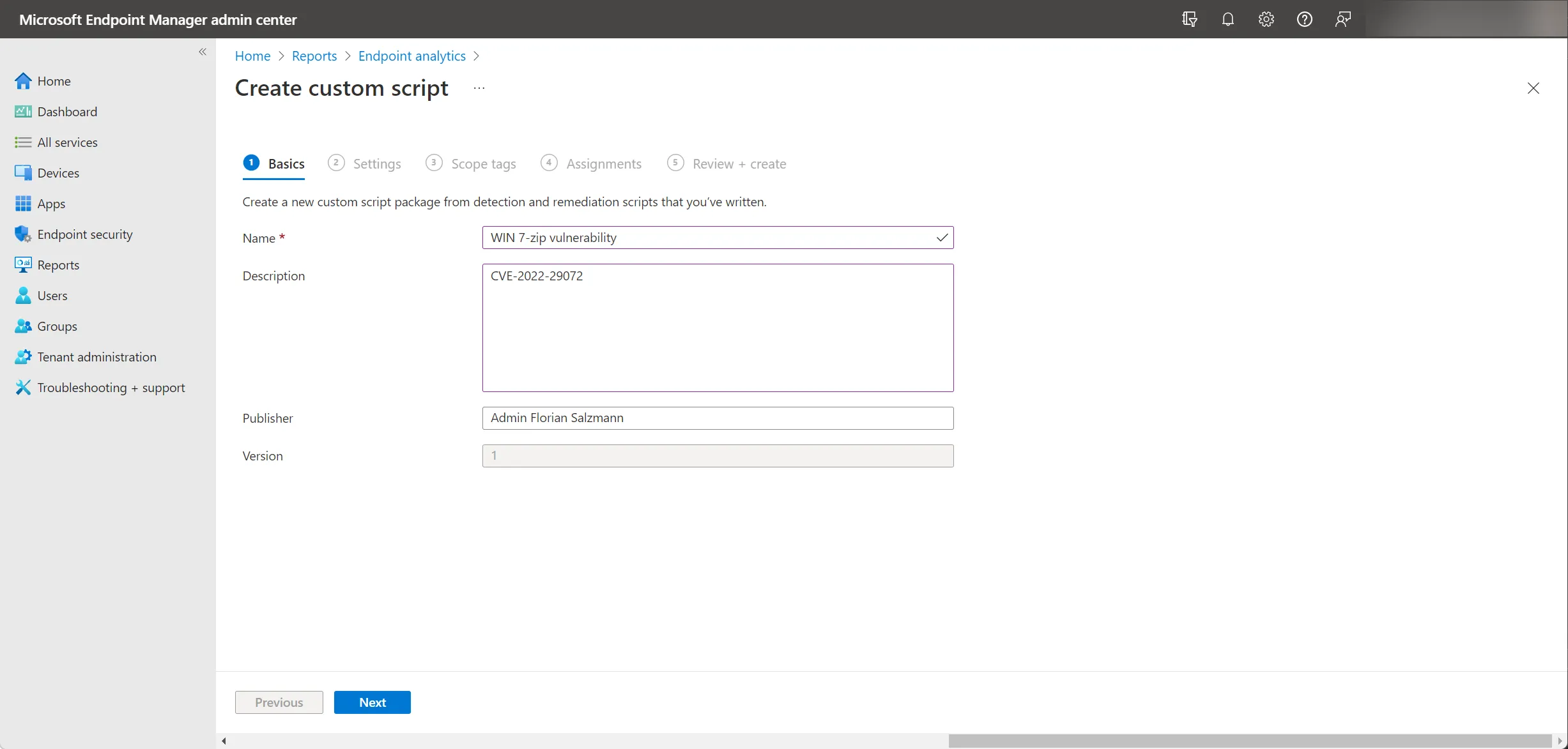
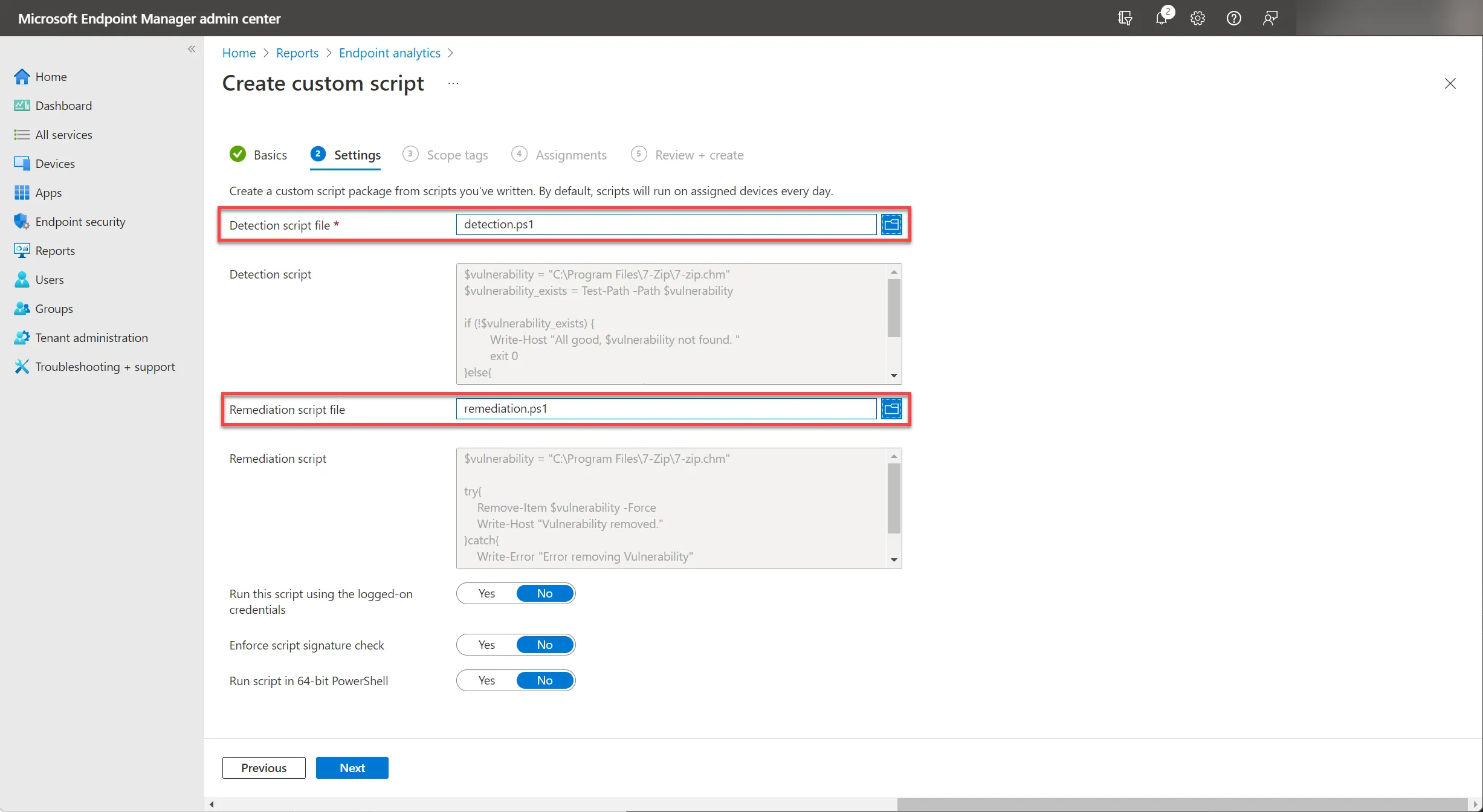
In the next step, you upload the detection and remediation script from my GitHub.
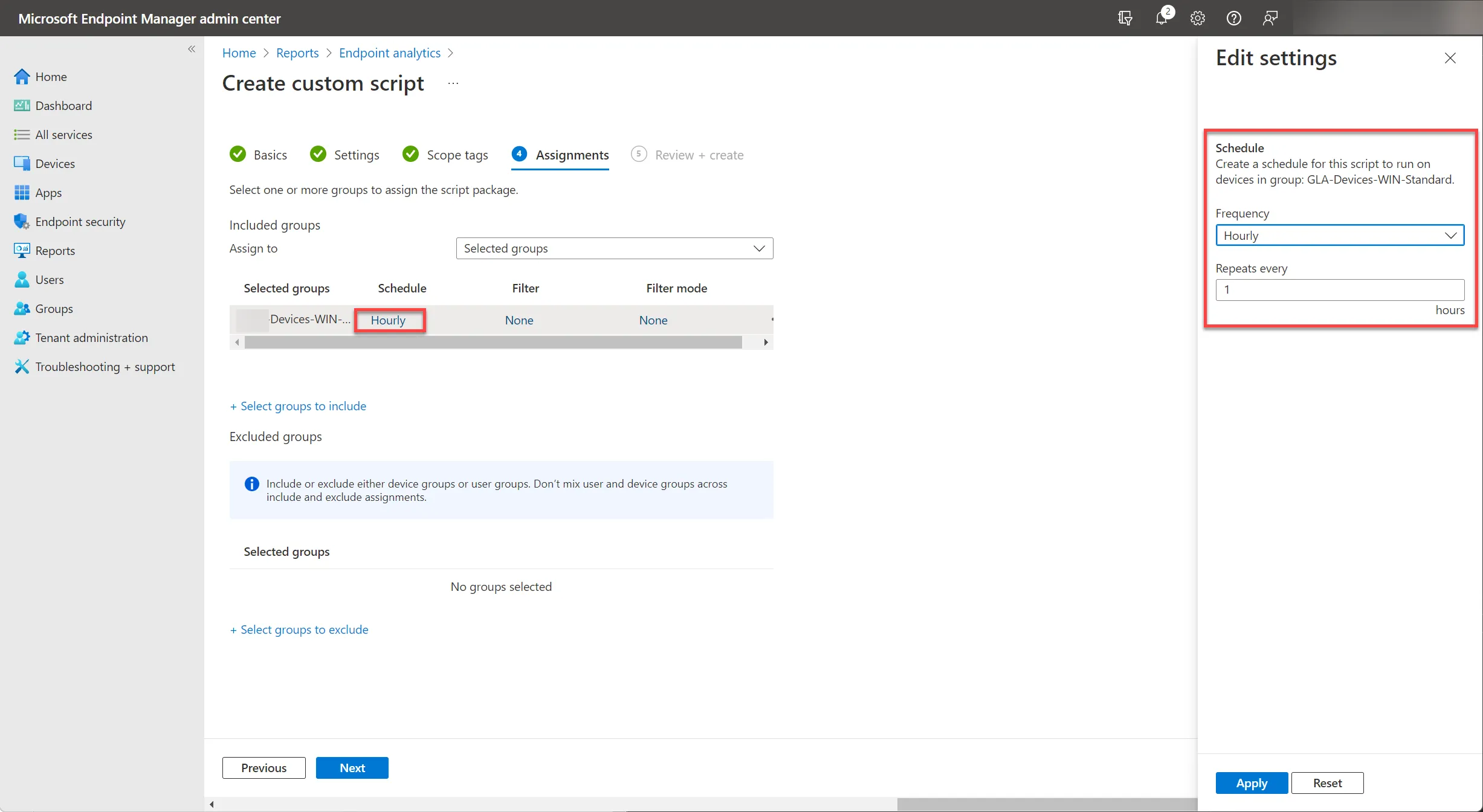
For the assignment, I choose a high execution frequency to make sure the vulnerability gets fixed quickly. Once the vulnerability is completely closed, the package can be removed again.
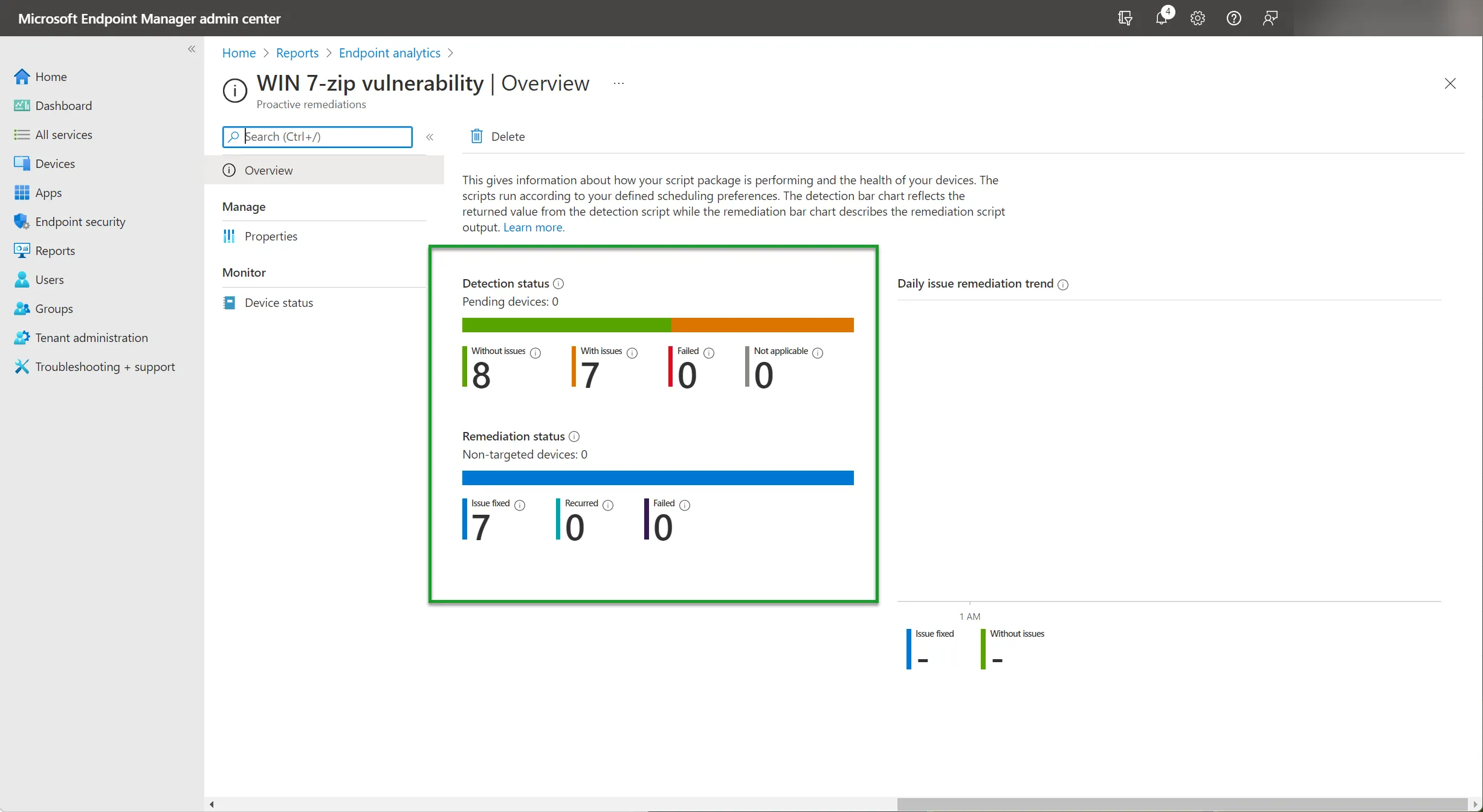
Now you’ve deployed the Proactive Remediation package for the 7-Zip vulnerability and just need to wait until the execution on the devices is complete.
The result then looks like this:
Checking which 7-Zip version is actually installed
Before deploying the remediation fleet-wide, it’s worth confirming how many devices are actually affected. A quick way to check the installed version without touching every machine is to query the registry key HKLM:\SOFTWARE\7-Zip\Path64 (or Path on 32-bit installs) and compare it against the version in 7z.exe’s file properties - anything below 21.07 is worth remediating.
Is deleting “7-zip.chm” a permanent fix?
Not really - it’s a workaround that removes the vulnerable Help file so the drag-and-drop attack path can’t trigger, but it doesn’t patch 7-Zip itself. Once you can push a 7-Zip version newer than 21.07 through your normal app deployment (Win32 app or the Intune Win32 Deployer), do that instead and then remove the Proactive Remediation package, since the update supersedes the workaround entirely.